Building an npm Package in One Session with an AI Agent
Ever wondered if you could build a production-ready npm package from scratch in a single session? I just did with an AI coding agent. Here’s how we built @vimukthid/md2pdf, a Markdown-to-PDF converter with themes, tests, and all the bells and whistles.
The Challenge
I wanted a CLI tool that converts Markdown files to beautifully formatted PDFs. Not just basic conversion. I wanted to have:
- Configurable headers/footers with variables
- Multiple themes (default, minimal, dark, professional)
- Syntax highlighting for code blocks
- Table of contents generation
- Full test coverage
- Industry-standard package structure
The Approach: PRD-First Development
Instead of diving straight into code, I started with a Product Requirements Document (PRD). This became my north star:
# md2pdf - Product Requirements Document

## Overview
A configurable CLI utility that converts Markdown to PDF...

## Core Features
1. Markdown to PDF conversion using Puppeteer
2. Configuration system (CLI args, project config, user config)
3. Theme support with 4 built-in themes
...
The prompt:
“Read this PRD and build the complete npm package following industry standards.”
The AI agent read the entire PRD and got to work.
The Build Infographic
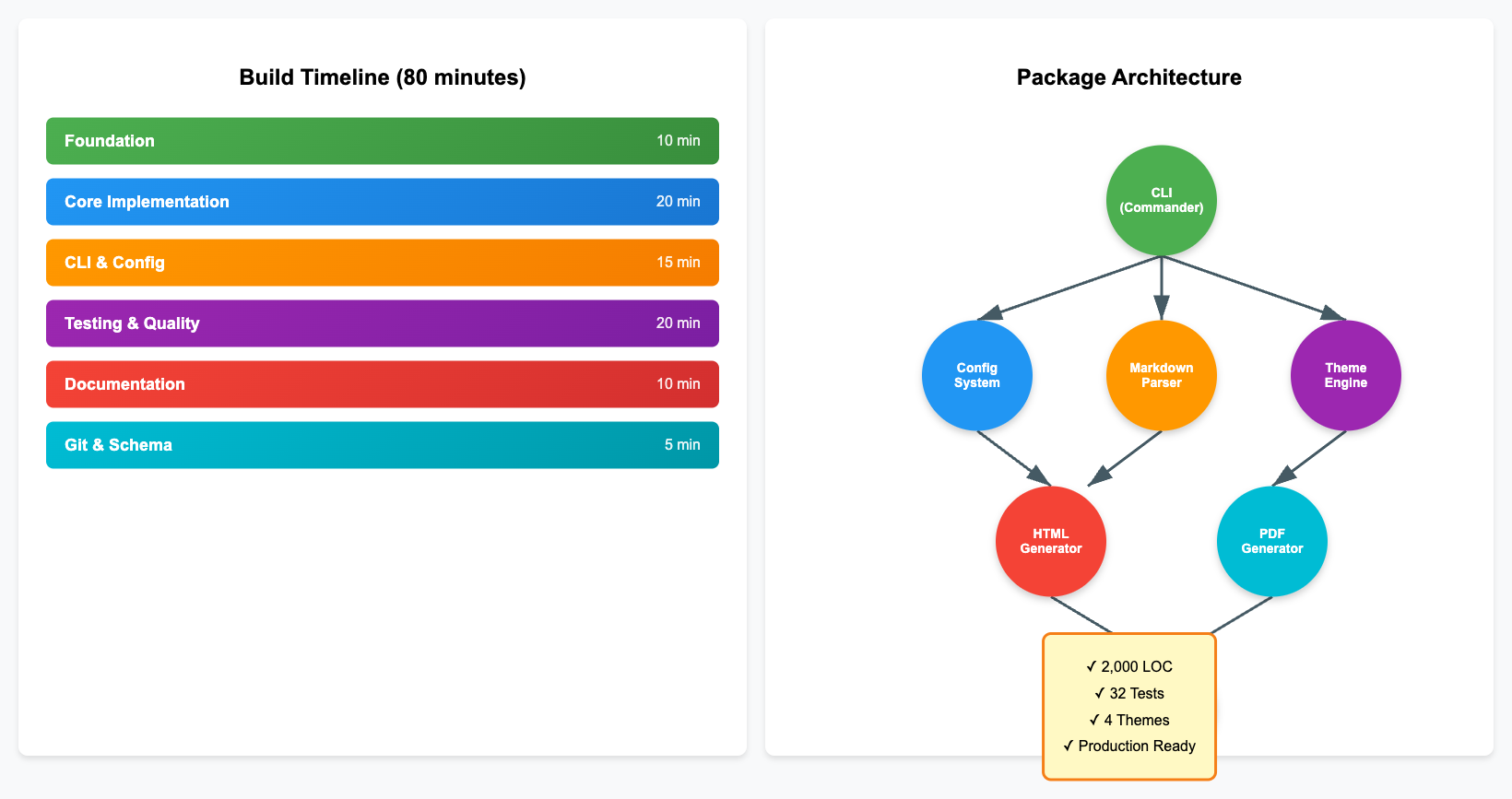
The Build Process
Phase 1: Foundation (~10 minutes)
The agent initialized the project structure:
package.jsonwith proper metadata, scripts, and dependencies- Directory structure:
bin/,src/,themes/,test/ - Configuration system with JSON schema validation
Key decision: Using Puppeteer for PDF generation instead of lighter alternatives. Why? Better rendering quality and full CSS support.
Phase 2: Core Implementation (~20 minutes)
The agent built the conversion pipeline:
- Markdown Parser (
markdown-it+highlight.js) - Style Builder (CSS generation from config)
- HTML Generator (template system with TOC)
- PDF Generator (Puppeteer with header/footer support)
First issue encountered:
Error: Cannot find module 'ajv'
The fix: The agent immediately ran npm install to pull in all dependencies. Lesson learned: always install deps before testing!
Phase 3: CLI & Configuration (~15 minutes)
Built a full-featured CLI with commander:
md2pdf document.md                    # Basic conversion
md2pdf document.md --theme dark       # Apply theme
md2pdf --init                         # Generate config
md2pdf --validate                     # Validate config
The configuration system supports multiple sources with proper priority:
- Command-line arguments (highest)
- Project-level config (
./md2pdf.config.json) - User-level config (
~/.md2pdf.config.json) - Built-in defaults (lowest)
Phase 4: Testing & Quality (~20 minutes)
The agent wrote comprehensive tests:
- Unit tests for config merging and validation
- Markdown parsing tests
- Variable substitution tests
- Input/output validation tests
Second issue encountered:
FAIL test/variables.test.js
  ✕ should substitute year variable
The {year} variable wasn’t being replaced. The agent quickly identified the issue in src/utils/variables.js and added the missing case.
Third issue: ESLint complained about unused imports and browser-specific code. The agent cleaned it up in seconds.
Phase 5: Documentation (~10 minutes)
Generated comprehensive docs:
README.mdwith examples and API referenceCHANGELOG.mdfollowing Keep a Changelog formatCONTRIBUTING.mdwith guidelinesLICENSE(MIT)
Phase 6: Git & Schema (~5 minutes)
- Initialized git repository
- Created proper
.gitignore - Generated JSON schema for IDE autocomplete
- Deployed schema to my site at
https://vimukthid.dev/md2pdf/schema.json
Now users get autocomplete in their config files:
{
  "$schema": "https://vimukthid.dev/md2pdf/schema.json",
  "theme": "dark",
  "page": {
    "format": "A4"
  }
}
The Results
Total time: ~80 minutes (including setup, iterations, and the publishing disaster)
Lines of code: ~2,000
Test coverage: 32 passing tests
Package quality: Production-ready
npm test              # ✓ All tests pass
npm run lint          # ✓ No issues
node bin/md2pdf.js    # ✓ Works perfectly
What I Learned
1. PRD-First Works
Having a clear PRD meant the AI knew exactly what to build. No back-and-forth, no scope creep.
2. AI Handles Boilerplate Brilliantly
Configuration systems, test setup, ESLint/Prettier configs—the AI nailed all the tedious stuff I usually copy-paste from old projects.
3. Debugging is Collaborative
When tests failed, I didn’t need to explain the error. The AI read the output, identified the issue, and fixed it immediately.
4. Quality Doesn’t Suffer
The code follows best practices:
- Proper error handling
- Input validation
- Security considerations (no arbitrary code execution)
- Modular architecture
5. Documentation Comes Free
The AI generated docs that I would’ve procrastinated on for weeks.
Try It Yourself
Want to build your own npm package with AI? Here’s the recipe:
- Write a clear PRD (be specific about features, tech stack, and quality requirements)
- Start with structure (let AI set up package.json, directories, configs)
- Build incrementally (core features → CLI → tests → docs)
- Test early and often (catch issues while context is fresh)
- Don’t skip quality (linting, testing, documentation)
The Package
@vimukthid/md2pdf is now ready for npm:
npm install -g @vimukthid/md2pdf
md2pdf README.md --theme professional
Check it out: github.com/vimukthid/md2pdf
Try out the package: @vimukthid/md2pdf
The npm Publishing Disaster
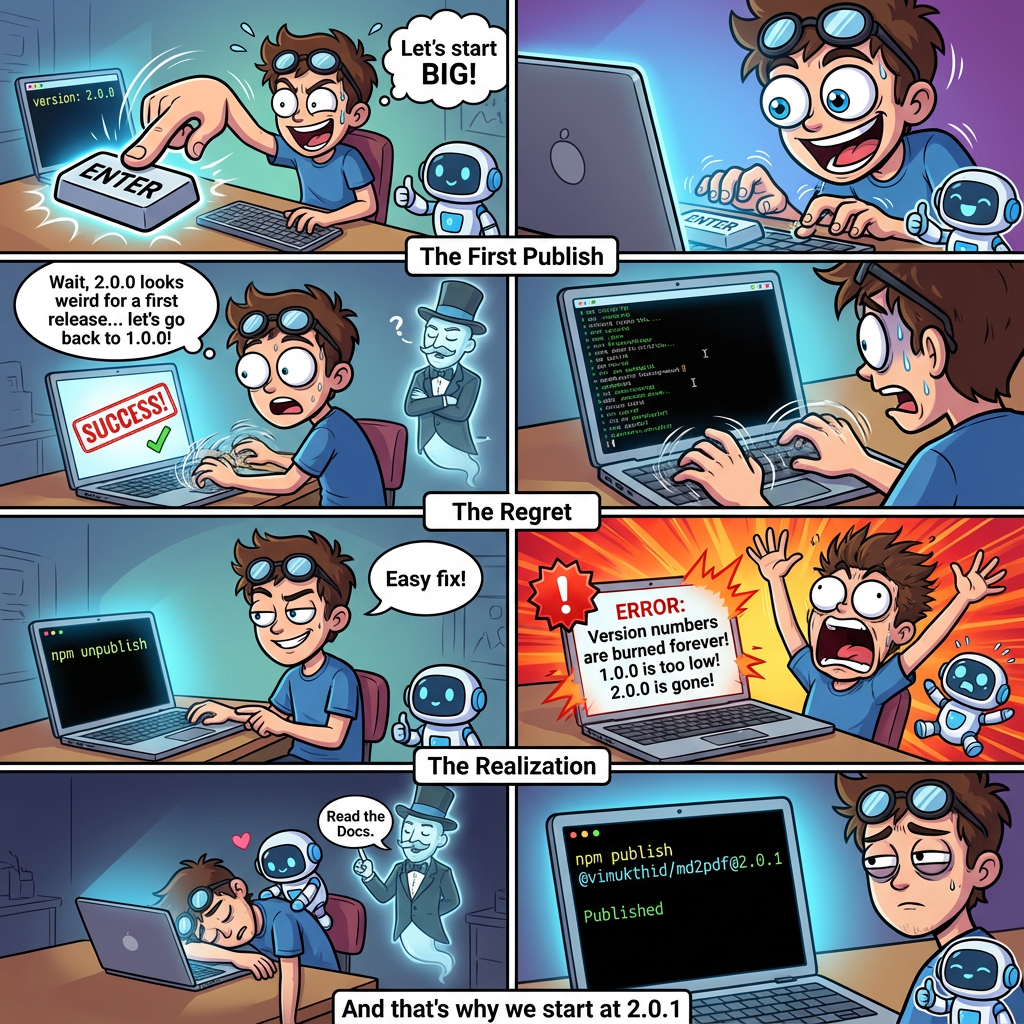
There is a fun story behind why the package’s version starts with 2.0.1.
Picture this: I’m staring at my shiny new npm package, ready to share it with the world. The AI agent had set the version to 2.0.0 (because why not start big?), and I was fumbling through the npm publish process for the first time. Account creation, authentication tokens, the works.
In my excitement, I hit publish. Success! 🎉
Then reality hit. “Wait… should my first release really be 2.0.0? That looks weird. Let me change it to 1.0.0 and republish.”
Narrator: He could not.
npm politely informed me that I cannot publish a version lower than what’s already published. Fair enough. Time for Plan B.
“I’ll just unpublish 2.0.0 and start fresh with 1.0.0!”
I executed the unpublish command with the confidence of someone who definitely hadn’t read the npm unpublish policy. The command succeeded. Victory!
Narrator: It was not a victory.
Here’s what I learned the hard way: npm has an ironclad rule—once a version number is published, it can never be used again. Ever. Even if you unpublish it. Even if you beg.
So there I was, in a beautiful trap of my own making:
- ❌ Can’t use
2.0.0(I unpublished it, but npm remembers—version numbers are forever) - ❌ Can’t use
1.0.0(npm won’t let you publish lower versions than what existed before) - 🤦 Standing there, looking at my orphaned package, wondering what I’d done
The 72-hour grace period I vaguely remembered? That’s for unpublishing packages (you can unpublish within 72 hours of publishing). Not for republishing version numbers. Those are burned forever.
The only way forward? 2.0.1.
And that’s why the very first version of @vimukthid/md2pdf on npm is 2.0.1. Not because we had a 2.0.0 release with bugs. Not because there was a 1.x series before. But because I speedran every npm publishing mistake in under 10 minutes.
Lesson learned: Read the docs before clicking buttons. Also, 1.0.0 is a perfectly good starting version and there’s no shame in it.
Final Thoughts
Could I have built this myself? Absolutely. Would it have taken 80 minutes? Not a chance. The AI agent handled the grunt work while I focused on decisions and direction.
This isn’t about replacing developers, it’s about amplifying what we can do. I went from idea to production-ready package in one sitting. That’s the power of AI-assisted development.
Now, what will you build?
Built with: Node.js, Puppeteer, markdown-it, Commander.js, and an AI coding agent
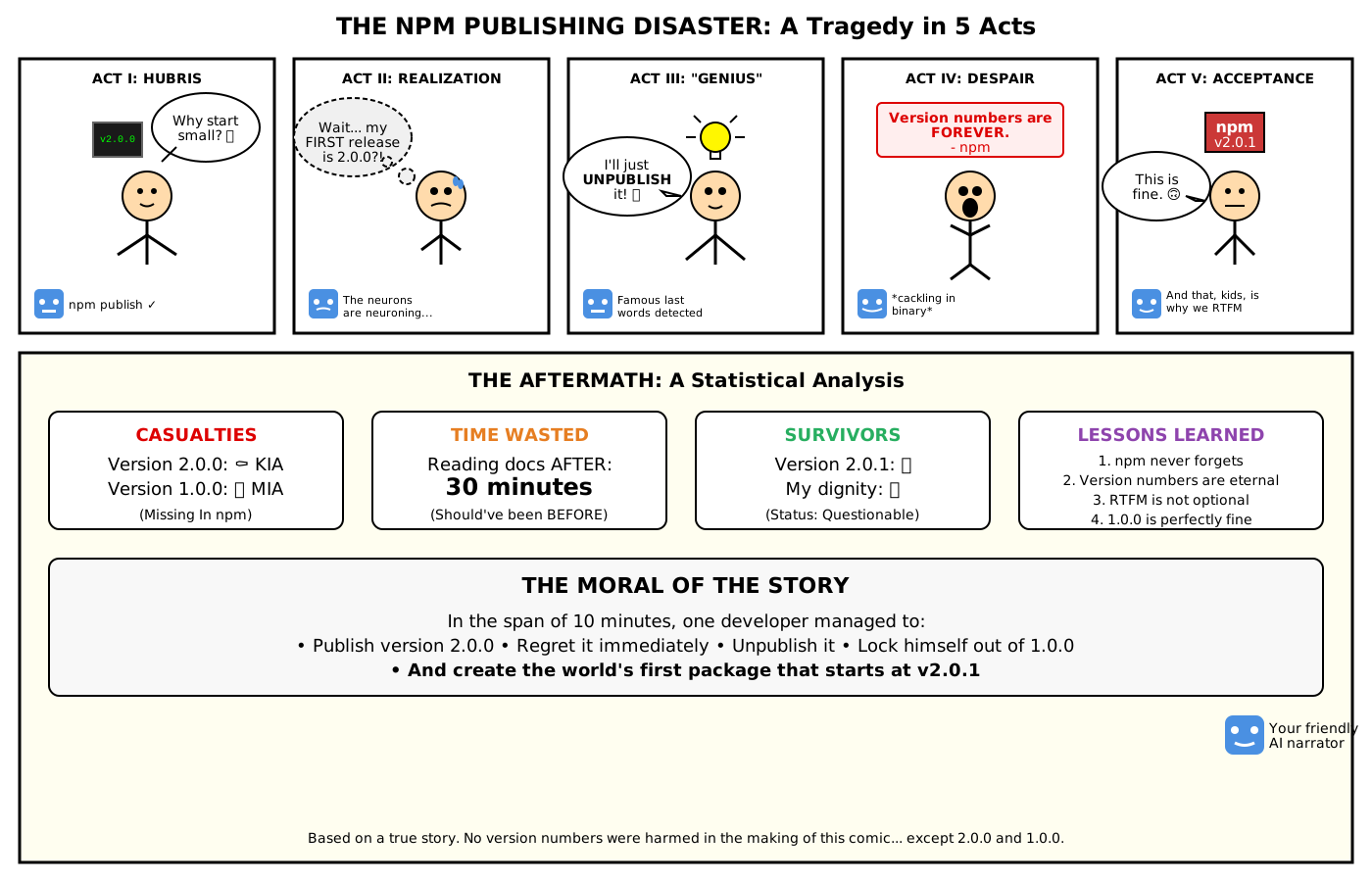
The AI’s Version
Apparently, this is how Nano Banana Pro visualized the disaster: